How to Choose a Document Scanner? Here’s How
Choosing the right document scanner involves considering speed, resolution, and paper handling for your specific needs. You want a scanner that can quickly capture your documents at a clear quality without jamming. Think about what you’ll be scanning most often.
It’s more than just plugging it in; it’s about finding a device that fits your workflow. Many scanners can handle everything from receipts to legal-sized pages. We’ve researched what makes a scanner a great fit for home offices and busy professionals alike.
- Think about scan speed.
- Consider the image resolution needed.
- Check the type of documents it handles.
- Look at software features for organizing.
- Decide if you need wireless or portable.
Let’s walk through exactly how to pick the perfect document scanner for you, step by step.
Finding the Right Document Scanner for Your Needs
Selecting a document scanner might seem overwhelming, but it doesn’t have to be. You’re looking for a tool that makes managing your paperwork easier. We’ve researched what makes a scanner a great fit for different users. Let’s break down the key features to consider so you can make an informed choice.
Understanding Scanner Types
Document scanners come in a few main varieties. Each is designed for different tasks. Knowing the difference will help you narrow down your options.
Sheet-Fed Scanners
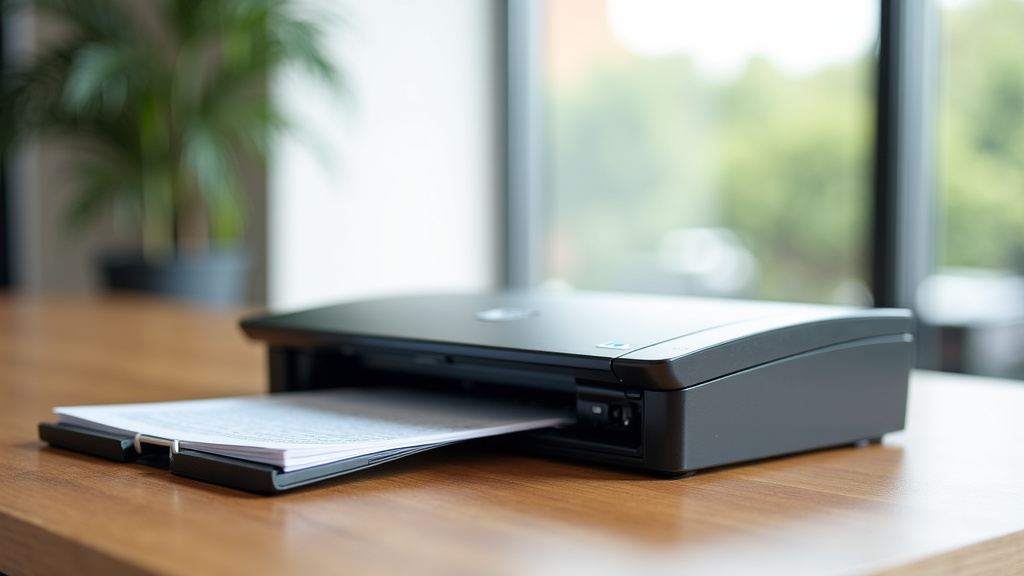
These are the most common type for offices. You feed stacks of paper into them. They often have an Automatic Document Feeder (ADF). This lets you scan multiple pages at once. They are great for digitizing long reports or multiple invoices quickly. Most sheet-fed scanners are quite fast.
Flatbed Scanners
Think of a flatbed scanner like a photocopier’s glass surface. You place a single document face down on the glass. Then, a scan head moves underneath to capture the image. These are excellent for fragile items. You can scan delicate photos, old letters, or even book pages this way. They offer very high-quality scans but are slower for multiple pages.
Portable Scanners
These are designed for scanning on the go. They are usually small and lightweight. Some are battery-powered. You might find them useful if you travel frequently for work. They can scan receipts or business cards while you’re away from your desk. Their scanning speed and quality might be more limited than larger models. For ultimate portability, consider what a scanning app can do for your mobile needs.
All-in-One Printers with Scanning
Many home and small office printers include scanning capabilities. These are often flatbed or have a small ADF. If you only need to scan occasionally, one of these might be enough. However, dedicated scanners are generally faster and offer more advanced features for heavy scanning tasks. They often have better paper handling.
Key Features to Evaluate
Once you know the type of scanner you need, let’s look at the important specifications. These will tell you how well a scanner performs its job.
Scan Speed
This is usually measured in pages per minute (PPM). Higher PPM means faster scanning. If you have a lot of documents, a scanner with a high PPM is essential. For home use with occasional scanning, a lower PPM might be perfectly fine. Consider how much paper you typically need to scan in a day or week. A common range for office scanners is 20-60 PPM. For personal use, 10-20 PPM could be adequate.
Resolution (DPI)
Resolution is measured in dots per inch (DPI). It tells you how much detail the scanner captures. For standard documents, 300 DPI is usually sufficient. This provides a clear, readable image. If you plan to scan photos or images that you might enlarge, consider a higher DPI like 600 DPI or more. Higher DPI creates larger file sizes, so balance detail with storage needs. Many experts suggest 300 DPI as a good standard for document clarity (National Archives and Records Administration).
Paper Handling and Duplex Scanning
Look at the types of paper the scanner can handle. Can it scan different sizes, from small receipts to legal-sized documents? What about thicker paper or cardstock? Jamming is a common frustration, so check reviews for reliability. Duplex scanning is a big time-saver. It means the scanner can scan both sides of a page in a single pass. This is incredibly useful for double-sided documents. Many modern ADF scanners offer automatic duplexing, which we found to be a great feature for efficiency.
Document Feeder Capacity
If you choose a sheet-fed scanner, check the ADF’s capacity. This is the number of pages it can hold at once. A larger capacity means you can scan more pages without reloading. If you often scan multi-page documents, a higher capacity feeder is a must. Some ADFs can hold 50 sheets, while others can hold 100 or more. This feature directly impacts how much time you save.
Software and Connectivity Options
The scanner’s hardware is important, but the software and how it connects are also key.
Bundled Software Features
Good scanning software can do more than just create image files. Look for features like optical character recognition (OCR). OCR converts scanned text into editable text. This makes your scanned documents searchable. Other useful features include automatic page straightening, blank page removal, and image enhancement. We found that scanners with robust software can significantly improve your workflow.
Connectivity: USB vs. Wireless
How will you connect the scanner to your computer? Most scanners offer USB connectivity, which is reliable and straightforward. Wireless scanning (Wi-Fi) offers more flexibility. You can place the scanner anywhere and scan from multiple devices without cables. Some models also offer Ethernet connectivity for network use. Consider where you’ll place the scanner and how many devices will need to access it.
Making Your Final Choice: A Checklist
To help you summarize, here’s a quick checklist to guide your decision:
- Scan Volume: How many pages do you scan regularly?
- Document Types: What sizes and thicknesses do you scan?
- Speed Needs: How quickly do you need pages scanned?
- Quality: What resolution is best for your needs?
- Convenience: Do you need duplex scanning or a large ADF?
- Budget: What is your price range?
By considering these points, you can find a document scanner that perfectly fits your needs. You’ll be organizing your files with ease in no time.
Conclusion
You’ve learned that choosing the right document scanner means looking beyond just the price tag. It’s about matching the scanner’s speed, resolution, and paper handling to your unique scanning habits. We found that understanding scanner types—sheet-fed, flatbed, or portable—is the first step. Then, consider the ADF capacity and the benefits of duplex scanning for efficiency. Don’t forget the software features like OCR for making your scanned files searchable and editable. Now, take a moment to review the checklist we provided and identify the scanner that truly fits your workflow.
Frequently Asked Questions
What’s the difference between PPM and DPI?
PPM stands for pages per minute, which measures how fast the scanner can process pages. DPI means dots per inch, indicating the level of detail in the scanned image. You’ll want a high PPM for large jobs and a suitable DPI for clear, readable results.
Is an Automatic Document Feeder (ADF) really necessary?
An ADF is incredibly useful if you frequently scan multi-page documents. It lets you load a stack of papers and scan them automatically without your intervention. For occasional single-page scans, it’s less critical.
Can I scan photos with a document scanner?
While some document scanners can scan photos, flatbed scanners often provide the best quality for delicate or irregularly shaped items. For standard document scanners, ensure the resolution (DPI) is high enough if photo quality is important.
What is OCR and why is it important?
OCR stands for Optical Character Recognition. It’s a software feature that converts scanned images of text into actual, editable text. This makes your scanned documents searchable and allows you to copy and paste text, which is a huge time-saver.
Do I need a wireless scanner if I only scan from one computer?
A wireless scanner offers flexibility in placement, allowing you to scan from anywhere in your home or office. If you primarily scan from one desktop, a standard USB connection is perfectly reliable and often more affordable.