Skip to content

Find Scanner

  • Home
  • About UsExpand
    • Affiliate Disclosure
    • How We Test Document Scanners
    • Privacy Policy
    • Terms & Conditions
    • Contact Us
Find Scanner
  • Can OCR Read Handwriting? A Clear Answer
    Document Scanner Guide

    Can OCR Read Handwriting? A Clear Answer

    ByFind Scanner September 25, 2026

    Yes, OCR can read handwriting, but with some major caveats. It’s not a perfect science yet. Whether OCR can accurately read your handwriting depends heavily on the **clarity and style** of your writing, and the **quality of the OCR software** you use. For many everyday tasks, it works reasonably well. While the technology has improved…
    Read More Can OCR Read Handwriting? A Clear AnswerContinue

  • How Do I Make a Scanned Document Searchable?
    Document Scanner Guide

    How Do I Make a Scanned Document Searchable?

    ByFind Scanner September 25, 2026

    Yes, you can absolutely make a scanned document searchable. The key is to use Optical Character Recognition (OCR) software. This process converts your scanned image into editable text, allowing you to search and copy from it. Think of it as giving your document a brain so it can be found easily. Many people scan documents…

    Read More How Do I Make a Scanned Document Searchable?Continue

  • What Is a Searchable PDF? Answered Simply
    Document Scanner Guide

    What Is a Searchable PDF? Answered Simply

    ByFind Scanner September 25, 2026

    A searchable PDF is a PDF document where the text can be found using your computer’s search function. This means you can look for specific words or phrases within the document. It’s like having a digital index for your files. This makes finding information much faster and easier. Unlike a simple image scan, a searchable…

    Read More What Is a Searchable PDF? Answered SimplyContinue

  • How Does OCR Work? A Simple Guide to Text Recognition
    Document Scanner Guide

    How Does OCR Work? A Simple Guide to Text Recognition

    ByFind Scanner September 24, 2026

    Optical Character Recognition, or OCR, works by using special software to scan and analyze an image of text. It then converts these characters into editable and searchable machine-readable text. Think of it as giving computers the power to “read” like you do, but much faster. This technology is the magic behind turning scanned documents, photos…

    Read More How Does OCR Work? A Simple Guide to Text RecognitionContinue

  • What Does OCR Stand For? A Simple, Plain-English Guide
    Document Scanner Guide

    What Does OCR Stand For? A Simple, Plain-English Guide

    ByFind Scanner September 24, 2026

    OCR stands for Optical Character Recognition. It’s a technology that allows your computer to read text from scanned documents or images, just like you can. Think of it as giving your computer eyes to see and understand the words in a picture. You might encounter OCR when you scan a paper document and want to…

    Read More What Does OCR Stand For? A Simple, Plain-English GuideContinue

  • What Is OCR Scanning and Why Does It Matter for You?
    Document Scanner Guide

    What Is OCR Scanning and Why Does It Matter for You?

    ByFind Scanner September 24, 2026

    OCR scanning is a technology that turns scanned documents and images into editable, searchable text. It works by using software to analyze the characters in an image. This process makes it easy to find and use information from paper files. You can think of it as giving your old documents a digital voice. Why does…

    Read More What Is OCR Scanning and Why Does It Matter for You?Continue

  • How Do I Scan in High Resolution? Simple Steps
    Document Scanner Guide

    How Do I Scan in High Resolution? Simple Steps

    ByFind Scanner September 23, 2026

    Scanning in high resolution means capturing every tiny detail in your image. You can achieve this by choosing the right DPI settings on your scanner. Higher DPI means a more detailed scan. Always select 300 DPI or higher for good quality prints or when you need to zoom in later. Getting a high-resolution scan is…

    Read More How Do I Scan in High Resolution? Simple StepsContinue

  • Why Do Scans Look Blurry? And What to Do
    Document Scanner Guide

    Why Do Scans Look Blurry? And What to Do

    ByFind Scanner September 23, 2026

    Scans can look blurry for a few main reasons. Often, it’s due to motion blur from movement during the scan, or a focusing issue where the scanner didn’t capture a sharp image. Sometimes, the quality of the original item or its lighting plays a big part. We’ve researched this extensively to help you understand why…

    Read More Why Do Scans Look Blurry? And What to DoContinue

  • What Is OCR (Optical Character Recognition)? Explained
    Document Scanner Guide

    What Is OCR (Optical Character Recognition)? Explained

    ByFind Scanner September 23, 2026

    OCR, or Optical Character Recognition, is a technology that converts images of typed, handwritten, or printed text into machine-readable text. Think of it as a smart way to make scanned documents searchable and editable. It’s super handy for freeing information trapped in pictures. We use OCR to quickly digitize piles of paperwork. This means you…

    Read More What Is OCR (Optical Character Recognition)? ExplainedContinue

  • Does Higher DPI Mean Better Scan Quality?
    Document Scanner Guide

    Does Higher DPI Mean Better Scan Quality?

    ByFind Scanner September 22, 2026

    Does higher DPI mean better scan quality? Yes, higher DPI generally means better scan quality for detailed images. DPI, or dots per inch, tells you how many tiny dots make up your image. More dots mean a sharper, more detailed picture. Think of it like a mosaic. A mosaic with more tiny tiles can create…

    Read More Does Higher DPI Mean Better Scan Quality?Continue

  • Is 300 DPI Good Enough for Scanning? Explained
    Document Scanner Guide

    Is 300 DPI Good Enough for Scanning? Explained

    ByFind Scanner September 22, 2026

    Yes, 300 DPI is generally good enough for most scanning needs, especially for everyday documents and photos you plan to view on a screen. For standard prints, like an 8×10 photo, 300 DPI provides a decent level of detail without creating excessively large files. You can often get away with this resolution for many projects….

    Read More Is 300 DPI Good Enough for Scanning? ExplainedContinue

  • How Does DPI Affect Scan Quality? What to Know
    Document Scanner Guide

    How Does DPI Affect Scan Quality? What to Know

    ByFind Scanner September 22, 2026

    Yes, DPI greatly affects scan quality because it determines the level of detail captured. A higher DPI means more dots per inch, resulting in a sharper, clearer image. Think of it like looking at a photo up close; more dots make the image smoother and less pixelated. When you scan something, the DPI setting tells…

    Read More How Does DPI Affect Scan Quality? What to KnowContinue

  • How Do I Check the DPI of a Scanner? Step by Step
    Document Scanner Guide

    How Do I Check the DPI of a Scanner? Step by Step

    ByFind Scanner September 21, 2026

    Checking the DPI of your scanner is quite simple. You can typically find the DPI settings within your scanner’s software or sometimes directly on the scanner’s physical buttons. This setting determines the resolution of your scanned image. Understanding scanner DPI is key for getting high-quality scans. Higher DPI means more detail, which is great for…

    Read More How Do I Check the DPI of a Scanner? Step by StepContinue

  • What Does Resolution Mean on a Scanner? The Basics
    Document Scanner Guide

    What Does Resolution Mean on a Scanner? The Basics

    ByFind Scanner September 21, 2026

    Scanner resolution tells you how much detail your scanner can capture. It’s measured in dots per inch (DPI). Higher DPI means more detail in your scanned images. Think of it like pixels on a digital camera. More dots packed into each inch allow for sharper text and clearer pictures. This is super important when you…

    Read More What Does Resolution Mean on a Scanner? The BasicsContinue

  • What DPI Should I Scan Documents for Printing?
    Document Scanner Guide

    What DPI Should I Scan Documents for Printing?

    ByFind Scanner September 21, 2026

    For printing documents, a scan DPI of 300 DPI is generally recommended. This setting provides a good balance between file size and print quality for most standard documents. Going lower than 300 DPI can result in fuzzy or pixelated prints, especially for text and fine details. Scanning at a much higher DPI will create unnecessarily…

    Read More What DPI Should I Scan Documents for Printing?Continue

  • Is 600 DPI Good for Photos? A Closer Look
    Document Scanner Guide

    Is 600 DPI Good for Photos? A Closer Look

    ByFind Scanner September 20, 2026

    Yes, 600 DPI is generally good for photos, especially for printing them. It offers a nice balance between detail and file size. For most everyday printing needs, 600 DPI provides sharp images that look great on paper. You probably won’t need much more for typical photo prints. When we talk about DPI, we’re referring to…

    Read More Is 600 DPI Good for Photos? A Closer LookContinue

  • What DPI Should I Use for Old Photos? A Straightforward Guide
    Document Scanner Guide

    What DPI Should I Use for Old Photos? A Straightforward Guide

    ByFind Scanner September 20, 2026

    For scanning old photos, a good starting point is 600 DPI for most printed photos. This offers a great balance between file size and detail for later use. You can go higher, like 1200 DPI, for very small images or if you plan to make large prints from them. It’s often said that more is…

    Read More What DPI Should I Use for Old Photos? A Straightforward GuideContinue

  • What DPI Should I Scan Photos At? A Beginner's Guide
    Document Scanner Guide

    What DPI Should I Scan Photos At? A Beginner’s Guide

    ByFind Scanner September 20, 2026

    For scanning photos, aim for a DPI of 300 DPI for general use and printing. If you plan to make large enlargements, scanning at 600 DPI or higher is recommended. This ensures you capture enough detail for quality results without creating excessively large files. Choosing the right DPI affects your scanned image’s clarity and file…

    Read More What DPI Should I Scan Photos At? A Beginner’s GuideContinue

  • What DPI Should I Scan Documents At? In Plain English
    Document Scanner Guide

    What DPI Should I Scan Documents At? In Plain English

    ByFind Scanner September 19, 2026

    For most documents, scanning at 300 DPI is the sweet spot. This resolution offers a good balance between file size and image quality for everyday use. You’ll get clear text and decent images without creating excessively large files that bog down your computer. Choosing the right DPI, or dots per inch, affects how detailed your…

    Read More What DPI Should I Scan Documents At? In Plain EnglishContinue

  • What Is the Difference Between DPI and PPI?
    Document Scanner Guide

    What Is the Difference Between DPI and PPI?

    ByFind Scanner September 19, 2026

    The main difference between DPI and PPI is where they are used: PPI (Pixels Per Inch) measures resolution on screens, while DPI (Dots Per Inch) measures ink density for printing. Think of PPI as the building blocks of what you see on your monitor, and DPI as the tiny dots of ink that make up…

    Read More What Is the Difference Between DPI and PPI?Continue

  • What Is a Good Scanning Resolution? Answered Simply
    Document Scanner Guide

    What Is a Good Scanning Resolution? Answered Simply

    ByFind Scanner September 19, 2026

    A good scanning resolution for everyday use is usually between 300 and 600 dots per inch (DPI). This range offers a great balance between image quality and file size for most documents and photos. Higher DPI means more detail but also larger files that take longer to process. Understanding DPI is key to getting clear…

    Read More What Is a Good Scanning Resolution? Answered SimplyContinue

  • What Is DPI in Scanning? A Simple Guide to Sharpness
    Document Scanner Guide

    What Is DPI in Scanning? A Simple Guide to Sharpness

    ByFind Scanner September 18, 2026

    DPI in scanning stands for Dots Per Inch. It’s a measurement of image resolution. Higher DPI means more detail. This results in a sharper, clearer scan. Think of it like the number of tiny dots used to create your image. Understanding DPI helps you get the best scan quality. It’s especially important for photos and…

    Read More What Is DPI in Scanning? A Simple Guide to SharpnessContinue

  • What Is a Compact Scanner? A Closer Look
    Document Scanner Guide

    What Is a Compact Scanner? A Closer Look

    ByFind Scanner September 18, 2026

    A compact scanner is a small, portable device designed to digitize documents, photos, or other flat items. Think of it as a smaller, often more mobile version of a traditional flatbed scanner. They are perfect for people who need to scan occasionally or have limited desk space. Many compact scanners are designed for ease of…

    Read More What Is a Compact Scanner? A Closer LookContinue

  • Desktop Scanner vs Portable Scanner: What You Need to Know
    Document Scanner Guide

    Desktop Scanner vs Portable Scanner: What You Need to Know

    ByFind Scanner September 18, 2026

    Choosing between a desktop scanner and a portable scanner depends mostly on your scanning needs and where you plan to do it. Desktop scanners offer higher quality and more features for home or office use. Portable scanners are great for scanning on the go when you need flexibility. Think about how much space you have…

    Read More Desktop Scanner vs Portable Scanner: What You Need to KnowContinue

  • Flatbed Scanner vs ADF Scanner: The Simple Answer
    Document Scanner Guide

    Flatbed Scanner vs ADF Scanner: The Simple Answer

    ByFind Scanner September 17, 2026

    When deciding between a flatbed scanner and an ADF scanner, the simple answer is: it depends on what you’re scanning. A flatbed scanner is best for single pages, delicate items, or irregular shapes. An ADF scanner is ideal for scanning multiple pages quickly. Many people get confused by these scanner types. We found that understanding…

    Read More Flatbed Scanner vs ADF Scanner: The Simple AnswerContinue

  • Duplex Scanner vs Simplex Scanner: Everything to Know
    Document Scanner Guide

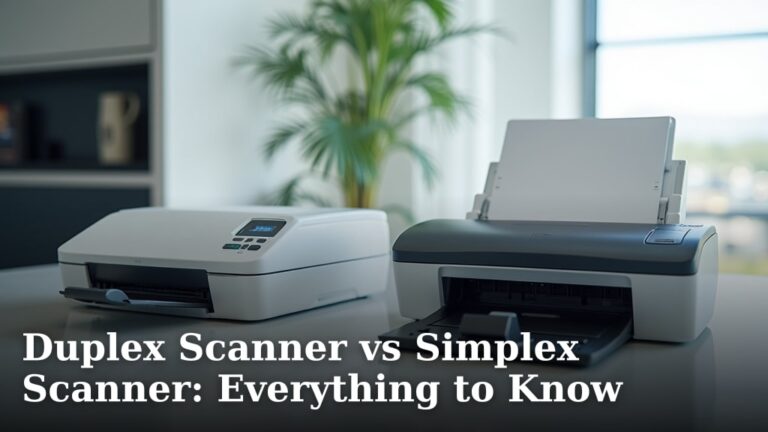
    Duplex Scanner vs Simplex Scanner: Everything to Know

    ByFind Scanner September 17, 2026

    When choosing a scanner, understand that a duplex scanner scans both sides of a page at once, while a simplex scanner only scans one side. For faster document handling, a duplex scanner is often the better choice, saving you time by flipping pages manually. Deciding between them depends on your needs. If you scan many…

    Read More Duplex Scanner vs Simplex Scanner: Everything to KnowContinue

  • Portable Scanner vs Flatbed Scanner: And Why It Matters
    Document Scanner Guide

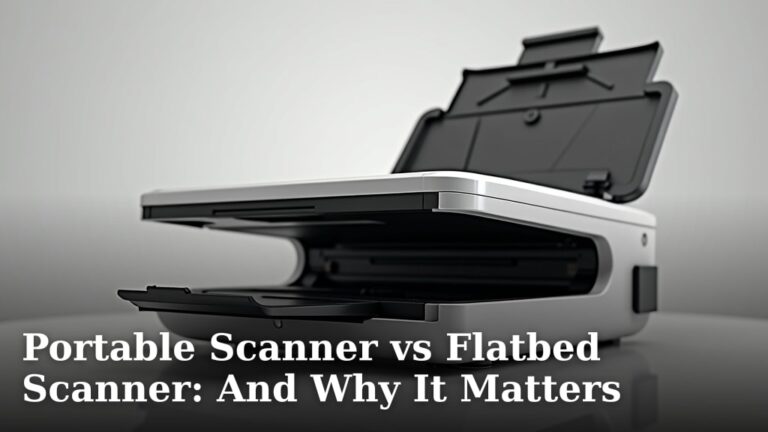
    Portable Scanner vs Flatbed Scanner: And Why It Matters

    ByFind Scanner September 17, 2026

    When choosing between a portable scanner and a flatbed scanner, the main difference comes down to portability vs. quality. Portable scanners are great for on-the-go document capture, while flatbeds offer superior image fidelity for photos and delicate items. Both have their place, depending on your needs. Think about what you’ll be scanning most often. If…

    Read More Portable Scanner vs Flatbed Scanner: And Why It MattersContinue

  • What Is a Mobile Document Scanner? A Beginner's Guide
    Document Scanner Guide

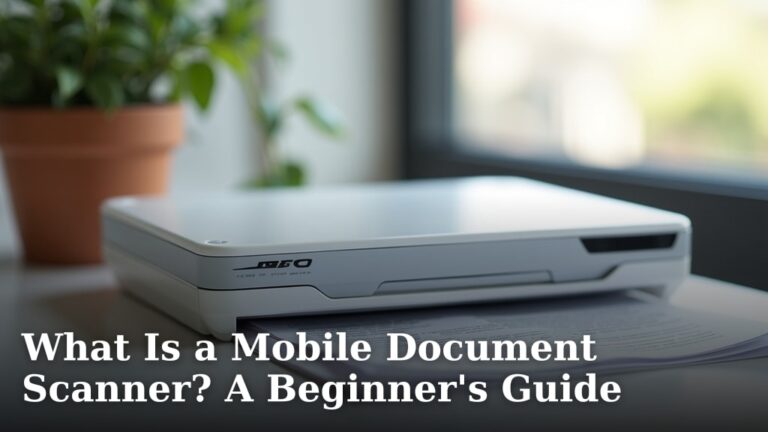
    What Is a Mobile Document Scanner? A Beginner’s Guide

    ByFind Scanner September 16, 2026

    A mobile document scanner is a portable device that lets you capture images of paper documents. You can then save them as digital files on your phone or computer. Think of it as a super-powered camera for your paperwork. It helps you turn stacks of paper into easily managed digital records without needing a big,…

    Read More What Is a Mobile Document Scanner? A Beginner’s GuideContinue

  • Does a Document Scanner Need a Computer?
    Document Scanner Guide

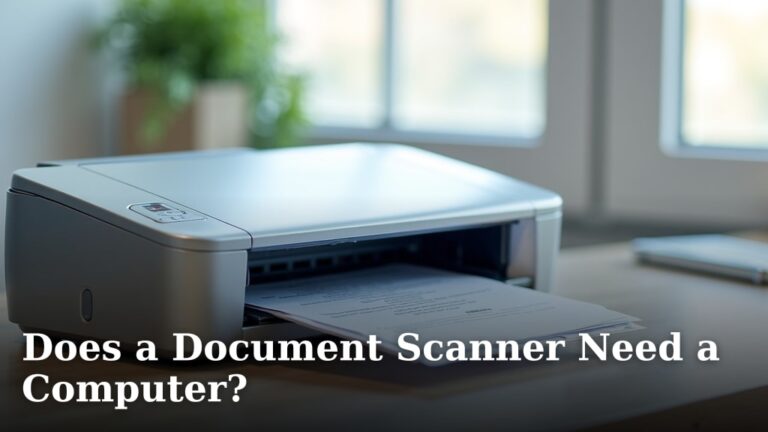
    Does a Document Scanner Need a Computer?

    ByFind Scanner September 16, 2026

    No, not all document scanners need a computer to function. Many modern scanners can save scans directly to a USB drive or a cloud service without connecting to a PC. This makes them great for busy people who want quick, standalone scanning. This ability to work independently is a big step up from older scanning…

    Read More Does a Document Scanner Need a Computer?Continue

  • What Is an All in One Scanner? Made Simple
    Document Scanner Guide

    What Is an All in One Scanner? Made Simple

    ByFind Scanner September 16, 2026

    An all-in-one scanner is a single device that can perform multiple scanning tasks. It combines the functions of a document scanner, photo scanner, and often a business card scanner into one machine. This makes it a convenient choice for many households and small offices needing to digitize various types of media. These devices are designed…
    Read More What Is an All in One Scanner? Made SimpleContinue

  • What to Look for in a Document Scanner? And What It Means
    Document Scanner Guide

    What to Look for in a Document Scanner? And What It Means

    ByFind Scanner September 15, 2026

    When looking for a document scanner, you should focus on its speed, resolution, and ease of use. These features determine how efficiently and accurately it can turn your paper documents into digital files. A good scanner makes managing your paperwork simple and fast. Think about what types of documents you’ll be scanning. Do you need…
    Read More What to Look for in a Document Scanner? And What It MeansContinue

  • How to Choose a Document Scanner? Here's How
    Document Scanner Guide

    How to Choose a Document Scanner? Here’s How

    ByFind Scanner September 15, 2026

    Choosing the right document scanner involves considering speed, resolution, and paper handling for your specific needs. You want a scanner that can quickly capture your documents at a clear quality without jamming. Think about what you’ll be scanning most often. It’s more than just plugging it in; it’s about finding a device that fits your…
    Read More How to Choose a Document Scanner? Here’s HowContinue

  • Flatbed vs Sheetfed Scanner: Plain and Simple
    Document Scanner Guide

    Flatbed vs Sheetfed Scanner: Plain and Simple

    ByFind Scanner September 15, 2026

    When choosing between a flatbed scanner and a sheetfed scanner, the key difference is how you feed documents. Flatbeds are best for single pages, delicate items, or odd shapes, while sheetfeds excel at scanning stacks of standard paper quickly. You’ll want to pick based on the types of documents you scan most often. Think of…

    Read More Flatbed vs Sheetfed Scanner: Plain and SimpleContinue

  • What Is a Scanner Used for in an Office?
    Document Scanner Guide

    What Is a Scanner Used for in an Office?

    ByFind Scanner September 14, 2026

    A scanner in an office is primarily used to convert physical documents into digital files. This allows you to easily store, share, and search your paperwork. Think of it as a digital photocopier for your computer. Beyond just making digital copies, office scanners are essential for document management. They help reduce clutter by moving paper…

    Read More What Is a Scanner Used for in an Office?Continue

  • What Is a High Speed Scanner? A Beginner's Guide
    Document Scanner Guide

    What Is a High Speed Scanner? A Beginner’s Guide

    ByFind Scanner September 14, 2026

    A high speed scanner is a device designed to convert physical documents into digital files very quickly. These scanners use advanced technology to capture images at a rapid pace, saving you considerable time compared to slower models. They are built for efficiency and handling large volumes of paperwork. When you need to digitize stacks of…

    Read More What Is a High Speed Scanner? A Beginner’s GuideContinue

  • Is a Scanner the Same Thing as a Copier?
    Document Scanner Guide

    Is a Scanner the Same Thing as a Copier?

    ByFind Scanner September 14, 2026

    Scanner vs. Copier: How They Differ A scanner and a copier are not the same thing, though modern devices often combine both functions. A scanner’s primary job is to convert a physical document into a digital file. A copier’s main purpose is to create a duplicate physical copy of a document. Understanding this core difference…

    Read More Is a Scanner the Same Thing as a Copier?Continue

  • How Does a Scanner Read a Document? And How It Works
    Document Scanner Guide

    How Does a Scanner Read a Document? And How It Works

    ByFind Scanner September 13, 2026

    How a Scanner Sees Your Document A scanner works by converting the light and dark patterns on your paper into a grid of digital dots. It’s a process of translating the physical world of ink and paper into a language your computer understands—a language of ones and zeros. At its core, every scanner follows a…

    Read More How Does a Scanner Read a Document? And How It WorksContinue

  • What Is Scan to PDF and How Does It Actually Work?
    Document Scanner Guide

    What Is Scan to PDF and How Does It Actually Work?

    ByFind Scanner September 13, 2026

    Scan to PDF is a technology that turns physical paper documents into digitally created PDF files. It uses a scanner to capture an image of your document, and then software converts that image into a searchable PDF you can save, email, or edit. It’s the modern way to eliminate your paper filing cabinet. This process…

    Read More What Is Scan to PDF and How Does It Actually Work?Continue

  • How Many Pages Can a Scanner Scan at Once?
    Document Scanner Guide

    How Many Pages Can a Scanner Scan at Once?

    ByFind Scanner September 13, 2026

    Understanding Scanner Page Capacity Most modern scanners can handle **multiple pages at once**, but the exact number varies widely. It depends entirely on the type of scanner you own and the feature you’re using. Let’s break down what those numbers typically are and why. For the vast majority of home and office scanners, the built-in…

    Read More How Many Pages Can a Scanner Scan at Once?Continue

  • What Is a Scanner Driver? Answered Simply
    Document Scanner Guide

    What Is a Scanner Driver? Answered Simply

    ByFind Scanner September 12, 2026

    A scanner driver is a piece of software that lets your computer talk to your scanner. It acts as a translator, so your computer knows exactly how to use the scanner’s features. Without the right driver, your scanner might not work at all or could have trouble with important tasks. Think of it like the…

    Read More What Is a Scanner Driver? Answered SimplyContinue

  • What Is a Document Feeder? In Plain English
    Document Scanner Guide

    What Is a Document Feeder? In Plain English

    ByFind Scanner September 12, 2026

    A document feeder is a scanner or printer accessory that pulls in a stack of paper and feeds pages through one by one. This automated process scans or copies multiple pages automatically, so you don’t have to place each sheet by hand on the glass. Think of it as the time-saving helper for your office…

    Read More What Is a Document Feeder? In Plain EnglishContinue

  • Can a Printer Scan Documents? The Basics
    Document Scanner Guide

    Can a Printer Scan Documents? The Basics

    ByFind Scanner September 12, 2026

    Yes, most modern printers can scan documents, as long as it is an all-in-one or multi-function model. This key feature allows you to digitize paper files, photos, and receipts directly from your home or office. However, not every printer you buy will have a scanner built in. Basic, print-only models are still common. We found…

    Read More Can a Printer Scan Documents? The BasicsContinue

  • What Is a Network Scanner? A Closer Look
    Document Scanner Guide

    What Is a Network Scanner? A Closer Look

    ByFind Scanner September 11, 2026

    A network scanner Understanding What a Network Scanner Actually Does A network scanner is a tool that looks at all the devices connected to your computer network. Think of it like a digital flashlight for your home or office internet. It shines a light to see what gadgets are online, from your laptop and phone…

    Read More What Is a Network Scanner? A Closer LookContinue

  • What Does ADF Mean on a Scanner? Made Simple
    Document Scanner Guide

    What Does ADF Mean on a Scanner? Made Simple

    ByFind Scanner September 11, 2026

    ADF stands for Automatic Document Feeder. It is a part of your scanner or all-in-one printer that lets you scan multiple pages automatically, one after another. You just load a stack of paper into the feeder, and the machine pulls each sheet through for you. This simple feature is a huge time-saver for your home…

    Read More What Does ADF Mean on a Scanner? Made SimpleContinue

  • What Is a Scanning App and What Can It Do for You?
    Document Scanner Guide

    What Is a Scanning App and What Can It Do for You?

    ByFind Scanner September 11, 2026

    A scanning app is a mobile application that uses your phone’s camera to turn physical documents, photos, or codes into digital files. It lets you capture, save, and share important papers right from your device, replacing the need for a bulky scanner. We found these apps are a practical tool for everyday organization. They help…

    Read More What Is a Scanning App and What Can It Do for You?Continue

© 2026 Find Scanner

  • Home
  • About Us
    • Affiliate Disclosure
    • How We Test Document Scanners
    • Privacy Policy
    • Terms & Conditions
    • Contact Us