What Is a Compact Scanner? A Closer Look
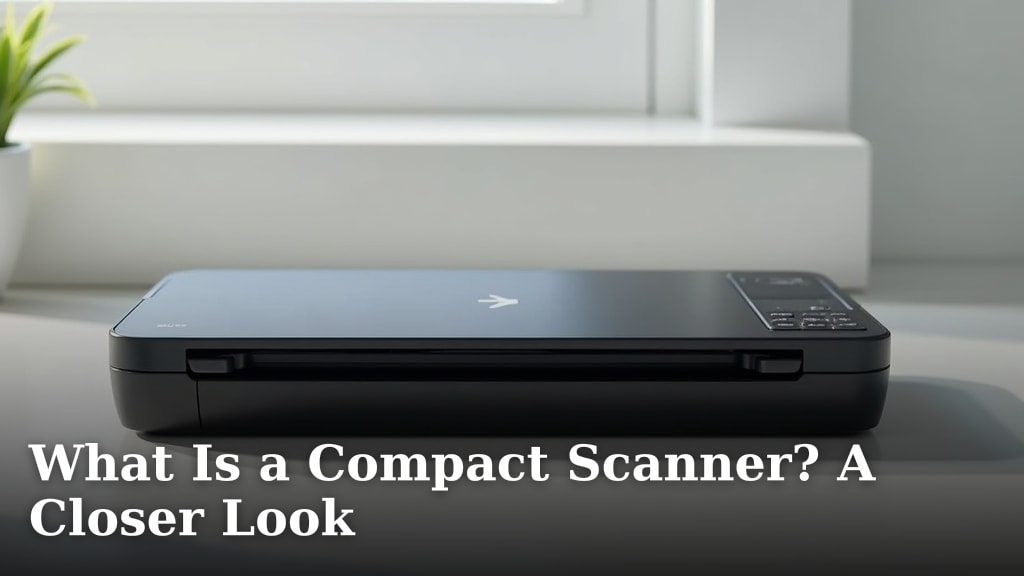
A compact scanner is a small, portable device designed to digitize documents, photos, or other flat items. Think of it as a smaller, often more mobile version of a traditional flatbed scanner. They are perfect for people who need to scan occasionally or have limited desk space. Many compact scanners are designed for ease of use and quick scanning.
These handy devices can save you space and hassle compared to larger scanners. They are ideal for digitizing receipts, business cards, or even single pages of a book. We found that their portability makes them great for students or remote workers. They often connect easily to your computer or phone for quick transfers. Our guide to what is a scanning app explains how to digitize documents using your smartphone.
- A compact scanner is a small device for digitizing items.
- They save desk space and are easy to move around.
- Perfect for receipts, business cards, and single pages.
- Often connect easily to computers or phones.
Let’s take a closer look at what makes a compact scanner a great option for your needs.
Understanding Compact Scanners: A Closer Look
A compact scanner is a small, lightweight device built for digitizing documents and photos. They are designed to take up minimal space on your desk. Many are portable enough to move around easily. You might be wondering if a compact scanner is the right choice for your needs. Let’s break down what they offer.
What Makes a Scanner “Compact”?
The term “compact” for scanners usually refers to their size and portability. Unlike their larger flatbed cousins that often stay put on a desk, compact scanners are meant to be less intrusive. They can fit into tighter spaces. Some are even small enough to slip into a bag.
Size Matters: Dimensions and Footprint
When we talk about compact scanners, we’re generally referring to devices that are significantly smaller than traditional flatbed scanners. Think of something that might take up only a few inches of desk space. Some models are as small as a ruler. This small footprint is a major selling point for those with limited room.
Portability: Taking Your Scanner on the Go
Portability is another key feature. Many compact scanners are lightweight. Some can even run on batteries. This means you can scan documents away from your main computer. This is helpful for remote workers or students who move between locations.
Types of Compact Scanners
Not all compact scanners are built the same. They often fall into a few main categories based on how they scan.
Sheet-Fed Scanners
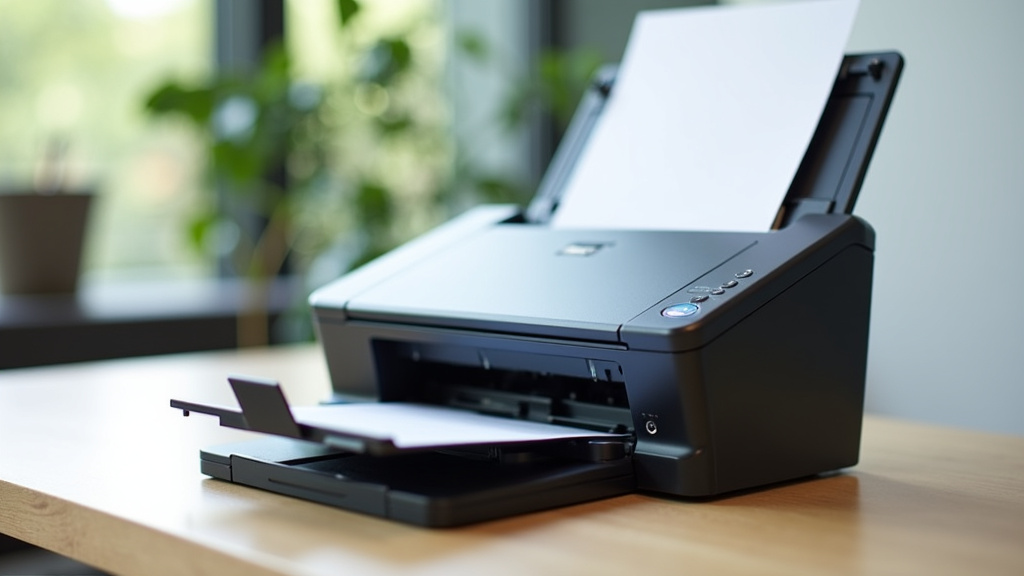
These are very common. You feed a document into a slot, and the scanner pulls it through. They are quick for scanning multi-page documents. Just put the pages in one after another. We found these to be efficient for reports or articles.
How Sheet-Fed Scanners Work
A motor pulls your paper past a scanning sensor. This process is automatic. It’s like a small office machine feeding paper. They are generally faster than flatbeds for stacks of paper. Just make sure the pages aren’t too creased or torn.
Best Uses for Sheet-Fed Compact Scanners
These are ideal for scanning receipts, business cards, or single-sided documents. They can handle multiple pages easily. If you have a stack of invoices, a sheet-fed compact scanner will make quick work of them. They excel at digitizing standard document sizes.
Handheld or Wand Scanners
These are the smallest type. You physically move the scanner over the item you want to digitize. They are very portable and versatile. They are great for scanning pages directly from books or magazines. Some even scan barcodes.
Using a Handheld Scanner
You glide the scanner across the surface. It’s important to maintain a steady hand. Consistent speed is key for a clear scan. Many models have a small screen to show you the preview. This helps you see if you got it right on the first try.
Advantages and Limitations
Handheld scanners offer unmatched portability. You can scan almost anything, anywhere. However, they can be trickier to use for perfectly straight, edge-to-edge scans. They are less ideal for large stacks of paper compared to sheet-fed models.
Portable Flatbed Scanners
These are less common but offer the familiar flatbed scanning experience in a smaller package. You place the item face down on a glass surface. They provide a very accurate scan. They are great for photos or delicate items.
The Flatbed Advantage in a Compact Form
The flat glass ensures your document lies perfectly flat. This means no distortions or unevenness. They are excellent for digitizing old photographs. You can also scan thicker items like passports. The gentle scanning process protects your original items.
When a Portable Flatbed Makes Sense
If you need to scan fragile items or want the highest fidelity for photos, this is your best bet. They might be a bit larger than wand scanners but offer superior scan quality. They are still much smaller than a standard desktop flatbed.
Key Features to Consider
When you’re looking at compact scanners, several features can make a big difference in your daily use.
Connectivity Options
How does the scanner connect to your devices? Most compact scanners use a USB connection to your computer. Some newer models offer Wi-Fi or Bluetooth. This allows you to scan directly to your smartphone or tablet. Wireless options offer more freedom.
Scanning Resolution (DPI)
Resolution is measured in dots per inch (DPI). Higher DPI means a more detailed image. For documents, 300 DPI is usually fine. For photos or fine art, you might want 600 DPI or higher. Research suggests that 300 DPI is sufficient for most text documents (National Archives).
Scanning Speed
How fast can it scan? This is often measured in pages per minute (PPM). For a compact scanner, speeds can vary. Some might scan a page in 5-10 seconds. Others might take longer. Consider how many pages you typically need to scan at once. Fast scanning saves you time.
Software and OCR
Most scanners come with software. This helps you manage your scans. Look for software that includes Optical Character Recognition (OCR). OCR converts scanned images of text into editable text. This makes it easy to copy, paste, and search your documents.
Who Needs a Compact Scanner?
Compact scanners are not for everyone, but they serve specific needs very well.
Students and Educators
Need to digitize notes, handouts, or book pages? A compact scanner is perfect. It saves space in dorm rooms or small offices. Students often need to archive research papers or lecture notes. A compact scanner makes this easy to do.
Home Offices and Small Businesses
If you work from home, desk space is precious. A compact scanner won’t take over your workspace. Small businesses can use them for processing invoices, receipts, or client documents on the go. They help keep records organized.
Travelers and Remote Workers
For those who work from different locations, a portable scanner is a lifesaver. You can scan important documents wherever you are. Imagine scanning a signed contract on a business trip. This keeps your workflow uninterrupted. Many models are powered by USB, making them easy to use with a laptop.
Hobbyists and Collectors
If you collect stamps, coins, or old photos, a compact scanner can help you archive them. You can create digital copies for sharing or safekeeping. The portable flatbed types are particularly good for delicate items like collectibles.
A Quick Comparison: Compact vs. Traditional Scanners
Let’s see how they stack up side-by-side.
| Feature | Compact Scanner | Traditional Flatbed Scanner |
|---|---|---|
| Size | Small, takes up little space | Larger, requires dedicated desk space |
| Portability | Often lightweight and easy to move | Heavy and stationary |
| Speed | Varies, often fast for single pages | Varies, can be slower for single items but good for stacks |
| Scan Quality | Generally good to excellent | Typically excellent, especially for photos |
| Best For | Documents, receipts, on-the-go needs | Photos, books, delicate items, high-volume scanning |
Checklist: Is a Compact Scanner Right for You?
Ask yourself these quick questions:
- Do you have limited desk space?
- Do you need to scan documents occasionally?
- Do you need to digitize receipts or business cards?
- Do you sometimes need to scan away from your main desk?
- Are you looking for a simpler, more portable scanning solution?
- Do you want to easily archive important papers?
If you answered yes to most of these, a compact scanner could be a fantastic addition to your setup.
Conclusion
You’ve now seen how a compact scanner can be a practical solution for digitizing documents without taking up much space. We’ve explored how their size, portability, and ease of use make them ideal for students, home offices, and even travelers. Whether you need to scan receipts quickly or archive important papers, there’s likely a compact scanner designed for your needs. If you’re looking for a way to simplify your document management and declutter your desk, consider which type of compact scanner best fits your workflow.
Frequently Asked Questions
Can a compact scanner replace a traditional flatbed scanner?
For many everyday tasks like scanning documents and receipts, yes, a compact scanner can be a great replacement. However, if you frequently scan delicate items, large books, or require the absolute highest photo quality, a traditional flatbed might still be better suited for those specific jobs.
Are compact scanners difficult to set up and use?
Most compact scanners are designed for ease of use. Setup often involves plugging them into your computer via USB and installing simple software. Many models offer straightforward controls for quick scanning, making them user-friendly for most people.
Do I need special software to use a compact scanner?
Typically, compact scanners come with bundled software to manage your scans, adjust settings, and sometimes offer features like Optical Character Recognition (OCR). While you can often use basic scanning utilities from your operating system, the included software usually provides the best experience and functionality.
Can compact scanners scan photos effectively?
Many compact scanners can scan photos, especially sheet-fed or portable flatbed models. The quality will depend on the scanner’s resolution (DPI). For casual photo scanning, they often suffice, but for professional-grade photo reproduction, a dedicated photo scanner or a high-quality flatbed might be preferred.
How do I choose between a sheet-fed and a handheld compact scanner?
If you have stacks of documents like receipts or business cards, a sheet-fed scanner is usually faster and more efficient. If you need to scan directly from books, magazines, or have very limited space and only scan items occasionally, a handheld scanner offers more flexibility.