What Is an All in One Scanner? Made Simple
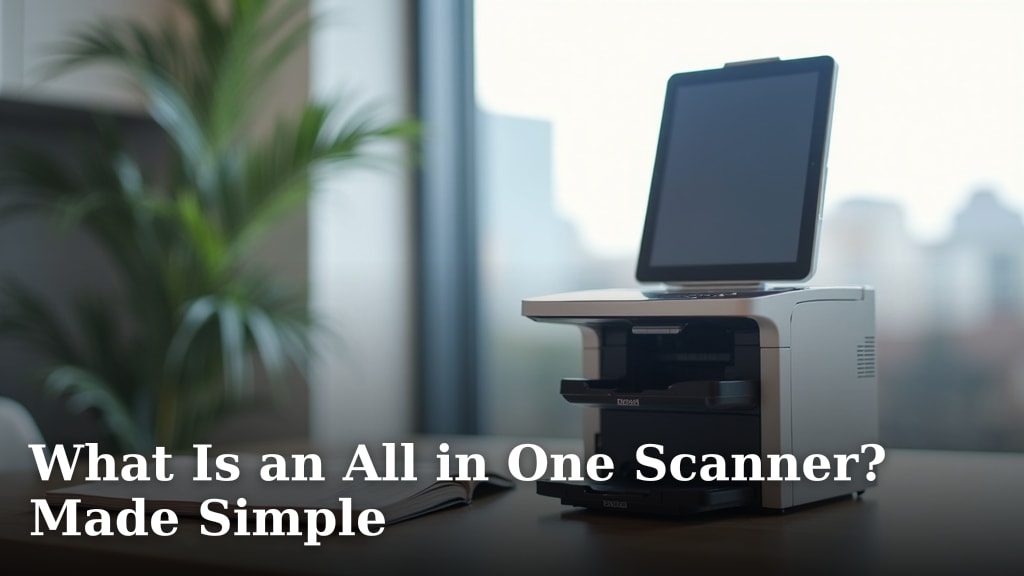
An all-in-one scanner is a single device that can perform multiple scanning tasks. It combines the functions of a document scanner, photo scanner, and often a business card scanner into one machine. This makes it a convenient choice for many households and small offices needing to digitize various types of media.
These devices are designed to handle different paper sizes and materials. You can scan everything from thick receipts to delicate photographs. Many also offer features like automatic document feeders for scanning multiple pages. It’s a practical solution for decluttering and organizing your important papers.
- What an all-in-one scanner is.
- What kinds of things you can scan with it.
- Why it’s a popular choice for home offices.
- How it simplifies your scanning needs.
Ready to learn more? Let’s break down what makes an all-in-one scanner so useful and how it can help you.
You’ve seen them around, maybe at a friend’s house or in a small office. That one device that does a bit of everything when it comes to scanning. But what exactly is an all-in-one scanner, and why might you need one? Let’s get into the nitty-gritty.
Understanding the All-in-One Scanning Concept
An all-in-one scanner, sometimes called a multi-function scanner or a versatile scanner, is a single unit designed to handle a variety of scanning tasks. Think of it as your digital Swiss Army knife for documents and images. It’s built to be more than just a document scanner. It aims to be your go-to for digitizing different types of media.
What Does “All-in-One” Really Mean?
The term “all-in-one” tells you it’s not limited to just one job. While a dedicated document scanner might excel at high-volume paper scanning, an all-in-one scanner often balances this with the ability to scan photos or even other items. This versatility is its main selling point. You get multiple functions in one compact device. This saves you space and can also save you money compared to buying separate devices.
Key Functions You’ll Find
At its core, an all-in-one scanner is equipped to handle standard document scanning. This means it can take your paper documents, like letters, reports, or invoices, and turn them into digital files. But it doesn’t stop there. Many models are designed with higher resolution or better color accuracy. This is essential for scanning photographs without losing quality. You can preserve your memories by digitizing old photo albums. Some even have specialized settings for things like business cards or receipts. These can help extract text or organize information efficiently.
Scanning More Than Just Paper Documents
The real magic of an all-in-one scanner is its ability to handle a wide range of materials. You’re not just limited to standard letter-sized paper. Let’s explore what else you can digitize.
Photos and Memorabilia
Scanning photos is a big reason people look for all-in-one scanners. Old family photos, school pictures, or even prints from your vacation can be scanned. Many scanners offer advanced settings for color correction and dust removal. This helps bring faded images back to life. You can also scan other sentimental items. Think about old postcards, children’s artwork, or even fabric swatches. These can all be preserved digitally.
Business Cards and Receipts
Keeping track of business cards can be a hassle. An all-in-one scanner often has a specific mode for scanning these. It can automatically detect the card and extract contact information. This information can then be saved to your contacts list. Similarly, scanning receipts is important for expense tracking or tax purposes. These scanners can create clear, readable digital copies. Some software can even categorize these expenses for you automatically.
Different Paper Types and Sizes
Beyond standard documents, these scanners can often handle various paper thicknesses. This includes things like thicker cardstock or even glossy magazine pages. You might also find they can scan different sizes, from small business cards to larger A4 or legal-sized documents. Some advanced models can even handle delicate or damaged documents with special care. This means you can digitize a wider variety of your important items without worry.
Why All-in-One Scanners Shine for Home Offices
If you work from home or run a small business, space and efficiency are often at a premium. This is where the all-in-one scanner truly shines. It consolidates multiple needs into a single, manageable unit.
Saving Space and Reducing Clutter
Let’s face it, dedicated scanners can take up a lot of desk space. Add a separate photo scanner, and you’ve got two devices. An all-in-one scanner combines these functions. This means you only need space for one machine. This is a big win for smaller home offices. Less clutter means a more organized and productive workspace. You can finally clear off that extra shelf!
Streamlining Your Workflow
Imagine needing to scan a contract, then a few days later, scan some old family photos. With separate devices, you’d be switching between machines and software. An all-in-one scanner simplifies this. You use the same device and often the same software for all your scanning needs. This makes the whole process smoother and less time-consuming. It allows you to focus on your work or your memories, not on fiddling with technology.
Cost-Effectiveness Over Time
While the initial cost might seem comparable to a single-function scanner, think about the long run. Buying one all-in-one unit is often cheaper than purchasing a document scanner, a photo scanner, and possibly a business card scanner separately. You also save on maintenance and potential software costs for multiple devices. This makes it a smart financial choice for many small businesses and home users.
How All-in-One Scanners Make Your Life Easier
The ultimate goal of any good gadget is to make your life simpler, right? All-in-one scanners aim to do just that for your digitization tasks.
Ease of Use and Setup
Most modern all-in-one scanners are designed for user-friendliness. Setup is often straightforward. You plug it in, connect it to your computer or network, and install the software. Many come with intuitive software interfaces. This helps guide you through the scanning process. You can easily select the type of document or photo you’re scanning. This ensures optimal settings are applied automatically.
Versatile Software Features
The software that comes with these scanners is often quite capable. You can typically adjust scan resolution, color settings, and file formats (like PDF, JPEG, or TIFF). Many also include features for editing, organizing, and even searching your scanned documents. Optical Character Recognition (OCR) is a common feature. This converts scanned text into editable and searchable text. This is incredibly useful for archiving and retrieving information. For example, you can search for a specific word within a scanned document. Research shows OCR technology has improved greatly, making scanned documents almost as useful as native digital files (National Archives).
Connectivity Options
Modern scanners offer various ways to connect. USB connection is standard for direct computer access. Many also offer Wi-Fi or Ethernet connectivity. This allows for network scanning. You can scan from multiple computers on your network. Some even support cloud scanning directly to services like Google Drive or Dropbox. Mobile scanning via a smartphone app is also becoming more common. This gives you incredible flexibility in how and where you digitize your items. Many also offer Wi-Fi or Ethernet connectivity for network scanning, allowing you to scan from multiple devices.
A Checklist for Your Scanning Needs
Before you decide if an all-in-one scanner is right for you, consider these points:
- Do you need to scan documents regularly?
- Are you looking to digitize old photos or artwork?
- Do you want to organize business cards or receipts easily?
- Is saving desk space a priority for you?
- Would you prefer one device for multiple scanning tasks?
- Are you comfortable with user-friendly software interfaces?
Comparing Common Scanner Types
To really see where the all-in-one fits, let’s briefly look at its cousins.
| Scanner Type | Primary Use | Pros | Cons |
|---|---|---|---|
| All-in-One Scanner | Documents, Photos, Cards | Versatile, Space-saving, Cost-effective | May not excel in one specific area as much as a dedicated scanner |
| Document Scanner | High-volume paper documents | Fast, large document feeders, duplex scanning | Less ideal for photos, can be bulky |
| Photo Scanner | High-quality photo digitization | Excellent color accuracy, high resolution | Slow for documents, often doesn’t handle thick media |
| Flatbed Scanner | Various media (books, thick items, photos) | Handles delicate or bound items well | Slow for multiple pages, typically no auto-feeder |
As you can see, the all-in-one scanner aims to be a jack-of-all-trades. It’s a great middle ground if you have diverse scanning needs but don’t want to invest in multiple specialized machines. This balance is why so many people find them to be a practical solution for their home or small office.
Conclusion
You’ve seen how an all-in-one scanner can simplify your life. It handles documents, photos, and cards in one compact device. This saves you space and streamlines your digitization tasks. For home offices and busy households, this versatility is a major advantage. It’s a practical choice for organizing your memories and important papers. If you’re looking to declutter and digitize efficiently, consider making an all-in-one scanner your next smart purchase. Start by checking out models that fit your specific scanning volume and budget needs.
Frequently Asked Questions
Can an all-in-one scanner handle very old or delicate photos?
Many all-in-one scanners offer specialized settings for photos. These can include features for color correction and dust removal. For extremely delicate items, a flatbed scanner might offer more gentle handling, but many all-in-ones perform well on most older prints.
Will I need special software to use an all-in-one scanner?
Most all-in-one scanners come with user-friendly software included. This software helps you manage your scans, adjust settings, and often convert files. You can typically install it easily on your computer during setup.
How fast are all-in-one scanners compared to dedicated document scanners?
Generally, dedicated document scanners are built for speed, especially for high volumes. All-in-one scanners offer a good balance of speed for everyday tasks. They might be slower if you’re scanning hundreds of pages at once, but they are much faster than manual scanning.
Can an all-in-one scanner scan things other than paper, like fabric or objects?
While they can handle various paper types, most all-in-one scanners are not designed for bulky items or non-paper materials. If you need to scan objects or thick materials like books, a dedicated flatbed scanner is usually a better choice.
Is an all-in-one scanner a good investment if I only scan occasionally?
If your scanning needs are very infrequent, a simple, basic scanner might suffice. However, if you anticipate needing to digitize various items like photos and receipts even once in a while, the convenience and space-saving benefits of an all-in-one scanner often make it a worthwhile investment.