Duplex Scanner vs Simplex Scanner: Everything to Know
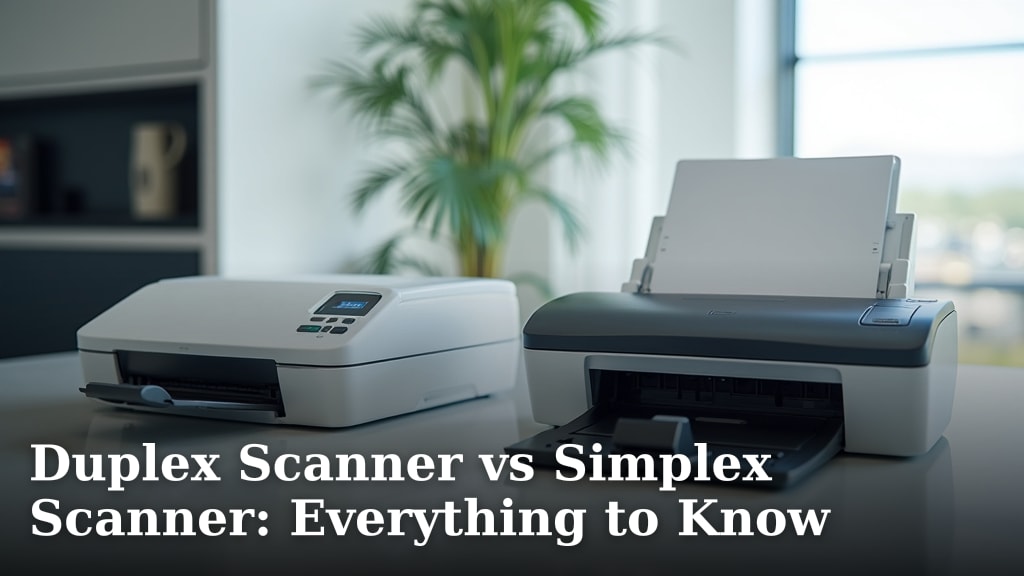
When choosing a scanner, understand that a duplex scanner scans both sides of a page at once, while a simplex scanner only scans one side. For faster document handling, a duplex scanner is often the better choice, saving you time by flipping pages manually.
Deciding between them depends on your needs. If you scan many double-sided documents regularly, a duplex model offers significant efficiency. Simplex scanners are simpler and can be more budget-friendly if you only scan single-sided items.
- Duplex scanners scan both sides of a page in a single pass.
- Simplex scanners scan only one side of a page.
- Duplex is faster for double-sided documents.
- Simplex is simpler and often cheaper.
- Consider your common scanning tasks.
Let’s look at how each type works and which might be the right fit for your home or office.
Understanding Your Scanning Needs: Duplex vs. Simplex
When you’re looking at scanners, you’ll quickly notice two main types: duplex and simplex. The biggest difference is how they handle your documents. A duplex scanner can scan both sides of a piece of paper at the same time. A simplex scanner, on the other hand, can only scan one side of the paper at a time. This might seem like a small detail, but it can make a big difference in how much time and effort you save.
Think about it like this: imagine you have a stack of important papers, like receipts or old letters. If they are double-sided, you’d have to scan one side, then flip the paper over, and scan the other side. With a simplex scanner, you do this for every single page. A duplex scanner just grabs the paper, scans both sides, and sends it through. It’s like having an extra hand that never gets tired.
How Simplex Scanners Work
A simplex scanner is pretty straightforward. You place your document face-up on the scanner bed or in the automatic document feeder (ADF). The scanner then shines a light across the page and captures the image. That’s it for that side. If the back of the page has anything on it, you’d have to manually take the page out, flip it over, and run it through the scanner again. It’s a simple, reliable process, but it takes more steps for double-sided documents.
We found that simplex scanners are often chosen when scanning documents that are mostly single-sided. This could be things like new printouts, single-page flyers, or photos you only printed on one side. They are typically less complex in their mechanics. This can sometimes translate to a lower purchase price for you.
How Duplex Scanners Work
Duplex scanners are the multitaskers of the scanning world. They are designed to handle double-sided scanning efficiently. There are two main ways duplex scanning happens: either through a single pass with two scan heads (one on top, one on the bottom) or by scanning one side, then using a mechanism to flip the page internally and scan the other side in a second pass. The single-pass method is generally faster.
Many modern ADFs on duplex scanners have what’s called an Automatic Document Feeder (ADF). This is a tray where you can load a stack of papers. The ADF then feeds them through the scanner one by one. With a duplex ADF, it scans both sides before letting the page go. This means you can load a whole stack of double-sided documents, press start, and walk away. The scanner does all the flipping and scanning for you.
You might wonder, “What if I have a document that’s only single-sided?” Don’t worry! Duplex scanners are smart enough to handle this. They can be set to scan just one side, just like a simplex scanner. You don’t have to use the duplex feature if you don’t need it. It’s a flexible option that covers both scenarios.
Comparing the Features and Benefits
When you’re trying to decide which scanner is best for you, it helps to look at the specific advantages each type offers. Think about your typical scanning tasks. Do you deal with a lot of paper that has information on both sides?
Speed and Efficiency
This is where duplex scanners truly shine. Research shows that for double-sided documents, duplex scanning can be twice as fast as manual flipping with a simplex scanner. If you have hundreds of pages to scan for archiving or sharing, that time savings adds up quickly. You get your work done faster and can move on to other tasks.
Imagine you’re scanning old family photos that you’ve written notes on the back of. A simplex scanner would mean scanning the photo, then flipping it, then scanning the notes. A duplex scanner would capture both in a single go. For a large collection, this is a huge time saver.
Cost Considerations
Generally speaking, simplex scanners tend to be less expensive than their duplex counterparts. The added technology and moving parts required for double-sided scanning mean duplex models often come with a higher price tag. If your budget is very tight and you mostly scan single-sided documents, a simplex scanner might be the more practical choice.
However, we also found that the cost difference is shrinking. As duplex technology becomes more common, prices have become more competitive. It’s worth checking current prices for both types to see if the savings are still significant for your needs.
Ease of Use and Workflow
For most users, both types of scanners are quite easy to operate. The primary difference in workflow comes with double-sided documents. With a simplex scanner, your workflow involves manual intervention: scan page 1, flip, scan page 2, repeat. This can be tedious and prone to errors, like accidentally flipping a page the wrong way or skipping a page altogether.
A duplex scanner, especially one with a good ADF, simplifies this process immensely. You load the stack, and the machine handles the rest. This leads to a smoother, more efficient workflow, reducing the chances of errors and freeing you up. Many experts agree that for busy offices or individuals with high-volume scanning needs, the ease of use offered by duplex scanners is a major advantage.
Space and Portability
In terms of physical size, there isn’t always a dramatic difference between simplex and duplex scanners, especially for desktop models. Both can vary greatly depending on features and brand. However, some very compact, portable simplex scanners are available that might not have a duplex option.
If you need a scanner that you can easily move around or take with you, you might find more lightweight simplex options. Duplex scanners, particularly those with robust ADFs, can sometimes be a bit larger or heavier, designed more for a stationary desk setup.
Making the Right Choice for You
Deciding between a duplex and simplex scanner really boils down to understanding your own scanning habits. There’s no single “better” option; it’s about finding the right fit for your life.
Your Document Types
Start by thinking about the documents you scan most often. Are they mostly single-sided flyers, letters, or forms? Or do you frequently deal with double-sided invoices, contracts, reports, or old documents?
If you scan a lot of double-sided materials, investing in a duplex scanner will likely save you a lot of time and frustration. If your needs are mostly single-sided, a simplex scanner might be perfectly adequate and more budget-friendly.
Volume of Scanning
How many pages do you typically scan in a week or month? If you scan just a few pages now and then, the difference between duplex and simplex might not be that noticeable. However, if you’re scanning dozens or hundreds of pages regularly, the efficiency gains from a duplex scanner become much more important.
Many small businesses, for example, find that the productivity boost from a duplex scanner justifies the higher initial cost. For a home user who scans occasionally, the simplicity of a simplex model might be preferable.
Budget and Features
Always consider your budget. While duplex scanners offer convenience, they do cost more upfront. Compare prices and see what features are included at different price points. Some duplex scanners might offer higher resolutions or faster scanning speeds, which could be worth the extra cost.
Also, look at other features that are important to you. Do you need wireless connectivity? A touchscreen interface? Software for organizing your scans? Ensure the scanner you choose meets all your requirements, not just the duplex vs. simplex feature. Consider if a scanning app could meet your needs for digitizing documents.
Checklist: Which Scanner is Right for You?
- Do you scan many double-sided documents? (Yes = Duplex)
- Is your budget very limited? (Yes = Simplex might be better)
- How much time can you realistically save with duplex scanning?
- Do you need the fastest possible scanning for high volumes? (Yes = Duplex)
- Are you okay with manually flipping pages for double-sided scans? (Yes = Simplex is fine)
- What other features (like wireless, software) are must-haves?
| Feature | Simplex Scanner | Duplex Scanner |
|---|---|---|
| Scans Both Sides | No (Requires manual flip) | Yes (Automatic) |
| Speed for Double-Sided Docs | Slower | Faster |
| Typical Cost | Lower | Higher |
| Complexity | Simpler | More Complex |
| Best For | Single-sided documents, light use, budget-conscious | Double-sided documents, high volume, efficiency focus |
Conclusion
Choosing between a duplex and simplex scanner comes down to your daily tasks. If you regularly handle double-sided documents, a duplex scanner offers undeniable efficiency, saving you precious time. For those who scan mostly single-sided pages and are mindful of budget, a simplex scanner remains a practical and often more affordable choice. Think about your document flow and scanning volume.
We’ve found that the best scanner for you is the one that fits your workflow without creating extra steps. Before you buy, consider our checklist and comparison table. This will help you make the most informed decision for your home or office needs.
Frequently Asked Questions
Can a duplex scanner only scan one side if I need it to?
Yes, duplex scanners are flexible. You can typically set them to scan only one side of a document, just like a simplex scanner. This means you don’t have to worry about them automatically scanning blank pages if you don’t want them to.
Is a duplex scanner always much more expensive than a simplex scanner?
While duplex scanners generally cost more due to their advanced technology, the price difference has been narrowing. It’s worth comparing current models, as sometimes the cost gap isn’t as large as you might expect, especially for mid-range devices.
Which type of scanner is better for photos?
For photos, the choice often depends on whether the backs of your photos have writing or marks you want to capture. If you only need to scan the front, a simplex scanner is fine. If you want to capture notes on the back of photos simultaneously, a duplex scanner would be more efficient.
What does ADF mean on a scanner?
ADF stands for Automatic Document Feeder. It’s a tray that allows you to stack multiple pages and have the scanner feed them through one by one automatically. Many duplex scanners feature an ADF for efficient batch scanning of double-sided documents.
If I scan infrequently, is a duplex scanner overkill?
If you only scan a few pages occasionally and they are mostly single-sided, a simplex scanner is likely sufficient and more cost-effective. A duplex scanner’s benefits are most realized when you scan a high volume of double-sided documents regularly.