Desktop Scanner vs Portable Scanner: What You Need to Know
Choosing between a desktop scanner and a portable scanner depends mostly on your scanning needs and where you plan to do it. Desktop scanners offer higher quality and more features for home or office use. Portable scanners are great for scanning on the go when you need flexibility.
Think about how much space you have and how often you’ll move your scanner. A desktop model usually sits on a desk and connects to your computer. A portable one is smaller and often battery-powered, making it ideal for travel or small workspaces. We found that understanding these basic differences helps narrow down your choices.
- Desktop scanners are best for quality and volume.
- Portable scanners are built for flexibility and travel.
- Consider your space and power needs.
- Both can handle documents, photos, and more.
Let’s dive into the details of each type to help you decide which scanner is the right fit for you.
Choosing Your Scanning Companion: Desktop vs. Portable
Deciding between a desktop scanner and a portable scanner comes down to your daily routine and what you need to scan. Think about where you’ll be scanning most often. Will it be stationed in one spot, or do you need to take it with you? Your answer will point you toward the right choice. We’ve researched both to help you make an informed decision.
Understanding Desktop Scanners: The Office Workhorse
Desktop scanners are like the reliable old friend of the scanning world. They’re built to sit on your desk, plugged in and ready to go. These are generally the go-to for offices and busy home users who scan a lot of items.
Key Features of Desktop Scanners
What makes a desktop scanner stand out? Often, it’s their superior quality and speed. They can handle larger stacks of paper and often produce sharper images. Many also come with advanced software for editing and organizing your scans.
Scanning Quality and Resolution
When you need top-notch scans, especially for photos or delicate documents, desktop models usually win. They boast higher resolutions, often measured in dots per inch (dpi). A higher dpi means you can capture finer details. For example, scanning old photos at 600 dpi or even 1200 dpi lets you zoom in later without losing clarity (Smithsonian Magazine).
Speed and Volume Handling
If you’re scanning dozens or even hundreds of pages, a desktop scanner is your best bet. Many have automatic document feeders (ADFs). This means you can load a whole stack, and the scanner will feed each page through automatically. This feature alone can save you hours of manual work.
Connectivity and Power
Desktop scanners typically connect to your computer via a USB cable. They draw power directly from the wall outlet or your computer. This means you don’t have to worry about battery life during long scanning sessions. They are always ready when you are.
Who Needs a Desktop Scanner?
You’ll likely benefit most from a desktop scanner if you:
- Scan large volumes of documents regularly.
- Need the highest possible image quality for photos or artwork.
- Have a dedicated workspace where the scanner can stay put.
- Prefer the convenience of an automatic document feeder.
- Want to scan a variety of document types, from receipts to books.
Exploring Portable Scanners: The On-the-Go Solution
Portable scanners are the nimble travelers of the scanning world. They are designed to be compact and lightweight, making them easy to carry around. If your workspace changes or you need to scan documents away from home, this might be your perfect match.
The Advantages of Portability
The main draw is, of course, portability. These scanners are small enough to fit in a backpack or briefcase. Many can even run on batteries, meaning you don’t need a power outlet to scan. This is incredibly handy for students, salespeople, or anyone who travels frequently.
Size and Weight Considerations
Think of them as small enough to sit on a small table or even your lap. Their lightweight design means they won’t be a burden to carry. This makes them ideal for **tight spaces** or when you need to scan at a client’s office or a coffee shop.
Power Options: Batteries or USB
Many portable scanners are battery-powered, offering true freedom from outlets. Others can be powered via a USB connection to your laptop. We found that models with both options provide the most flexibility for different scanning situations.
Scanning Versatility in a Small Package
Don’t let their size fool you. Portable scanners can handle a surprising range of items. Many are designed to scan single sheets of paper quickly. Some specialized models can even scan business cards, receipts, or even small photos. You might find they are For very basic needs, a scanning app can offer a quick solution.perfect for digitizing notes from meetings or receipts from business trips.
Who Benefits from a Portable Scanner?
A portable scanner is a great choice if you:
- Often need to scan documents away from your main desk.
- Work in various locations, such as client sites or co-working spaces.
- Have limited desk space at home or office.
- Prioritize mobility and the ability to scan quickly on demand.
- Primarily scan individual documents rather than large stacks.
Making the Choice: Key Comparison Points
To help you visualize the differences, let’s look at some direct comparisons. It’s not just about size; it’s about what features matter most to your workflow.
Resolution vs. Convenience
Desktop scanners generally offer higher resolution options, which is vital for detailed work like photo restoration. Portable scanners might have a lower maximum dpi, but they make up for it with speed and ease of use for everyday documents. Many experts suggest that for most document scanning, the resolution offered by portable models is perfectly adequate (National Archives).
Volume vs. Mobility
If your goal is to scan a whole book or a large pile of papers in one sitting, a desktop scanner with an ADF is the clear winner. If you’re more likely to scan a few receipts here and there, or a single page of notes, a portable scanner’s quick setup and immediate use are more appealing.
Features and Software: What’s Included?
Desktop scanners often come bundled with more robust software suites. These can include advanced OCR (Optical Character Recognition) for converting scanned text into editable documents, document management tools, and image editing capabilities. Portable scanners usually have simpler software, focused on basic scanning and saving files. We found that the software experience can greatly impact your overall satisfaction.
Cost Considerations
Generally, portable scanners tend to be less expensive than their desktop counterparts. However, prices vary widely based on features and brands. A high-end portable scanner could cost as much as a mid-range desktop scanner. Your budget will also play a role in which type you lean towards.
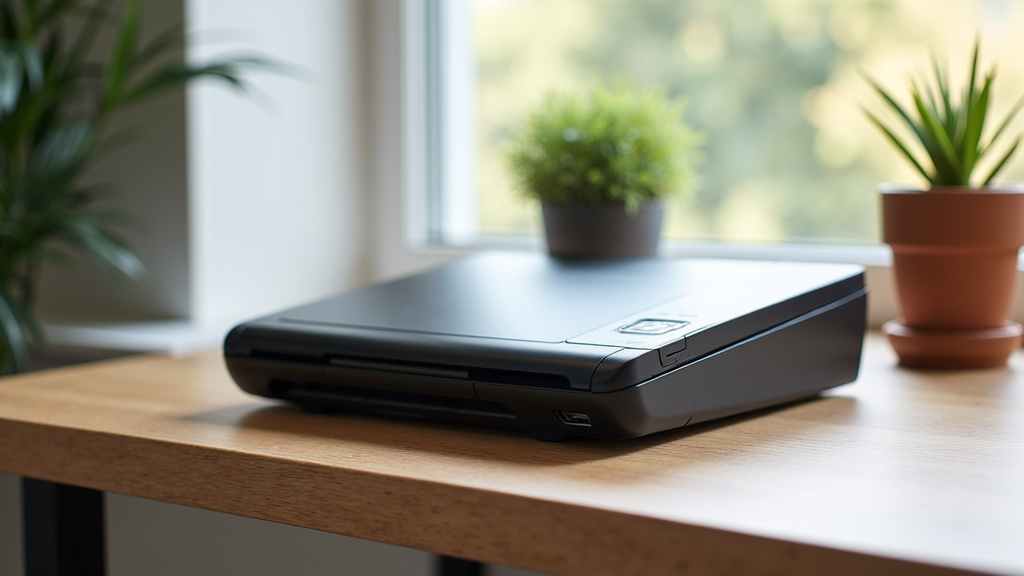
A Quick Checklist for Your Decision
Before you decide, quickly run through this checklist. Ask yourself these questions honestly:
- How much space do you have for a scanner?
- How often will you need to move your scanner?
- What types of documents will you scan most often?
- How important is maximum image quality for your needs?
- Do you need to scan large volumes of paper at once?
- What is your budget for a new scanner?
| Feature | Desktop Scanner | Portable Scanner |
|---|---|---|
| Primary Use | Home office, dedicated workspace, high volume | On-the-go, travel, limited space, occasional use |
| Scanning Quality | Generally higher resolution, better for photos | Good for documents, resolution may be lower |
| Volume Handling | Excellent, often with ADF for stacks of paper | Best for single pages or small batches |
| Portability | Low; designed to stay in one place | High; compact and lightweight |
| Power Source | AC adapter or computer USB | Often battery-powered or USB-powered |
| Software Features | Typically more advanced OCR and editing tools | Simpler, focused on basic scanning functions |
| Price Range | Mid to high | Low to mid |
Conclusion
You’ve seen how desktop and portable scanners serve different needs. A desktop scanner is your robust choice for high-volume tasks and superior image quality in a fixed location. If you scan frequently or need the best detail for photos, it’s likely your winner. On the other hand, a portable scanner offers freedom and convenience for on-the-go scanning or in smaller workspaces. Its compact size and battery options make it ideal for those who move around. Consider your daily workflow and essential features. Your next step is to look at specific models that fit your chosen type and budget to make the perfect scanning companion yours.
Frequently Asked Questions
Can a portable scanner be good enough for photos?
Some higher-end portable scanners offer decent resolution for casual photo scanning. However, for professional quality or detailed photo restoration, a desktop scanner with a higher maximum DPI will usually provide better results. We recommend checking the DPI specifications carefully for your photo needs.
What is an Automatic Document Feeder (ADF) and do portable scanners have them?
An ADF is a feature on scanners that automatically feeds multiple pages one by one for scanning. While common on desktop models for handling large stacks, ADFs are rare on portable scanners due to their compact design. Portable scanners typically scan one page at a time.
How do I choose between a scanner with good resolution or one that’s more portable?
We found that the choice really depends on your primary scanning activity. If you need to capture fine details in artwork or old photos, prioritize higher resolution found in many desktop models. If you need to scan documents quickly in different locations, portability is key, and many portable options offer sufficient resolution for everyday documents.
Are portable scanners powered only by batteries?
Many portable scanners are designed for flexibility. While some run solely on batteries, we often see models that can also be powered via a USB connection to your laptop. Some might even include an AC adapter for use when a power outlet is available.
Can I use a portable scanner to digitize books?
Digitizing books with a portable scanner can be challenging. You’d typically need to scan pages one by one, which is time-consuming and can result in inconsistencies. Desktop scanners, especially those with a flatbed, are generally better suited for scanning book pages without causing damage.